Don't have time to call to book a load? Use the Booking Options filter to view only app-bookable loads!
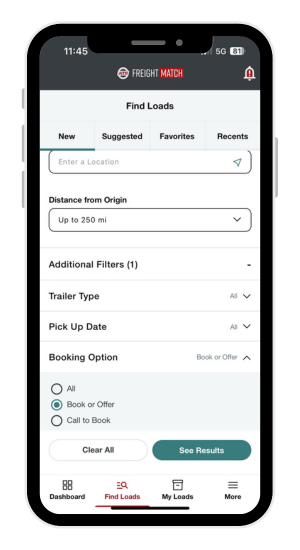
Follow the steps below to set your filter!
Filter Instructions:
Step 1. From the Find Loads page, select Additional Filters
Step 2. Click, Booking Options
Step 3. Choose option, Book or Offer
Step 4. See Results!